
Make Your First GIF from Google Slides
Emily wants a short animated GIF of her The Water Cycle deck to post in Google Classroom. The GIF plays each slide for 2 seconds and loops forever. You can follow the same steps with any presentation.
Make the GIF
Section titled “Make the GIF”-
Open your presentation in Google Slides and go to Extensions > Creator Studio > Open Creator Studio.
-
Wait for the slides to appear on the left. Slides you marked Skip in Google Slides start unchecked, so the export leaves them out.
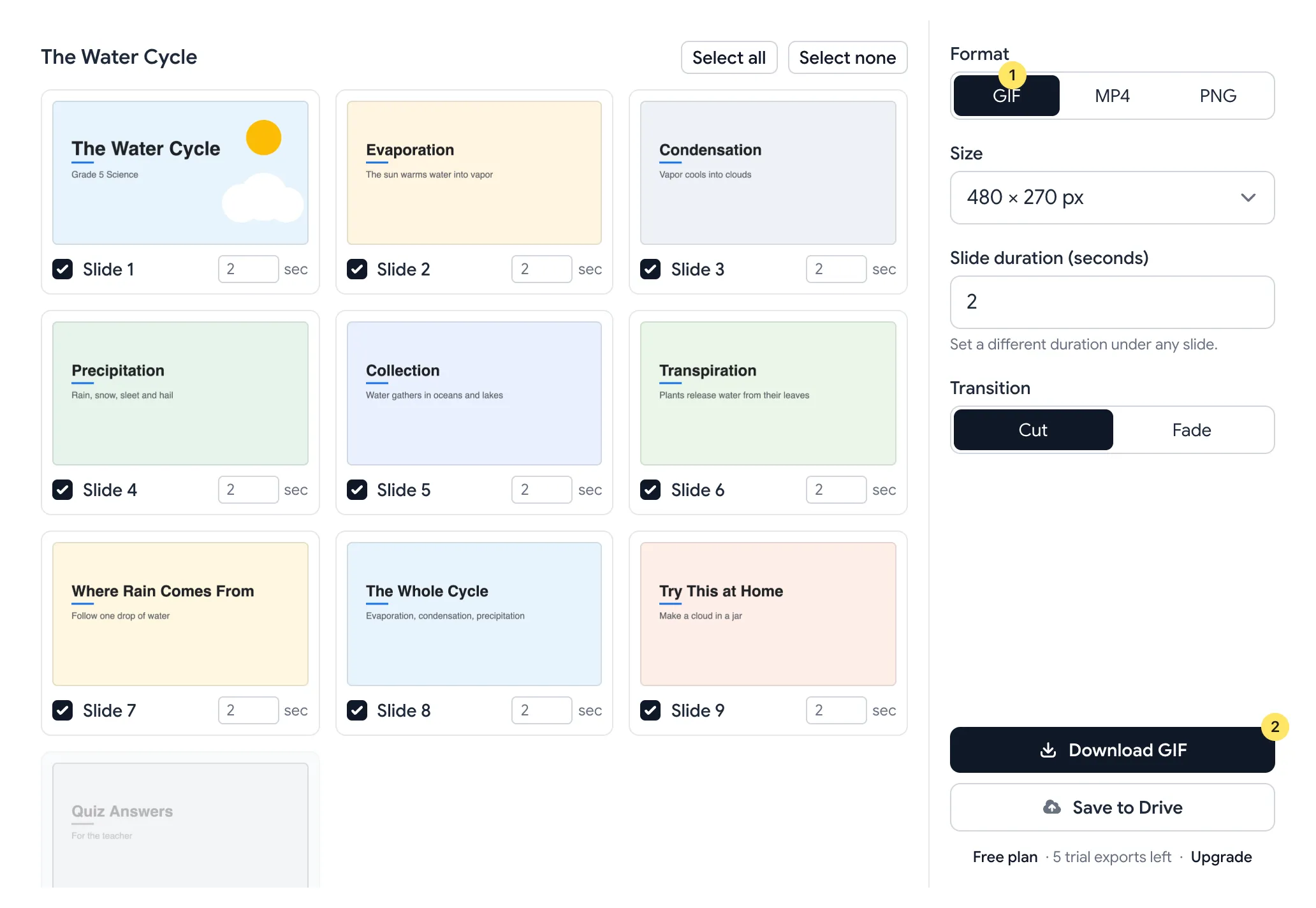
Your slides on the left, the settings on the right. -
Under Format, keep GIF selected.
-
Click Download GIF. Creator Studio shows Slide 1 of 9 and a progress bar while it works.
-
Find
The Water Cycle.gifin your browser’s downloads. A message at the bottom of the window shows the file name and size.
Keep the Creator Studio window open until the download starts. Closing the window stops the export.
Change the Size and Timing
Section titled “Change the Size and Timing”The Size list sets how wide the GIF is. The height follows the shape of your slides. The Slide duration sets how long each slide stays on screen. See Export Google Slides as an Animated GIF for every setting.
Creator Studio saves your settings with the presentation. The next time you open it, your choices are still there.