
Creator Studio Free, Starter and Pro Plans
Creator Studio has three plans. The Free plan makes GIFs and PNG images. Starter adds MP4 video, larger sizes and control over timing. Pro adds sizes up to 1,600 pixels and background music. See pricing for the cost.
What Each Plan Includes
Section titled “What Each Plan Includes”| Free | Starter | Pro | |
|---|---|---|---|
| Formats | GIF, PNG | GIF, PNG, MP4 | GIF, PNG, MP4 |
| Size | 480 px wide | Up to 800 px wide | Up to 1,600 px wide |
| Slide duration | 2 seconds for every slide | 0.5 to 60 seconds, slide by slide | 0.5 to 60 seconds, slide by slide |
| Fade between slides | No | Yes | Yes |
| Background music | No | No | Yes |
| Slides per export | Up to 20 | Any number | Any number |
| Download and Save to Drive | Yes | Yes | Yes |
| Download a single slide | Yes | Yes | Yes |
Each plan includes everything in the plans to its left.
Your 5 Trial Exports
Section titled “Your 5 Trial Exports”Every Creator Studio user gets 5 trial exports with every Pro feature, whatever their plan. A trial export is used only when an export includes something your plan doesn’t. A 480-pixel GIF on the Free plan doesn’t use one.
- The line below the Download button shows your plan and the trial exports you have left, such as Free plan · 3 trial exports left · Upgrade.
- When the current settings would use a trial export, a line above the Download button says so, such as Uses 1 of 3 trial exports.
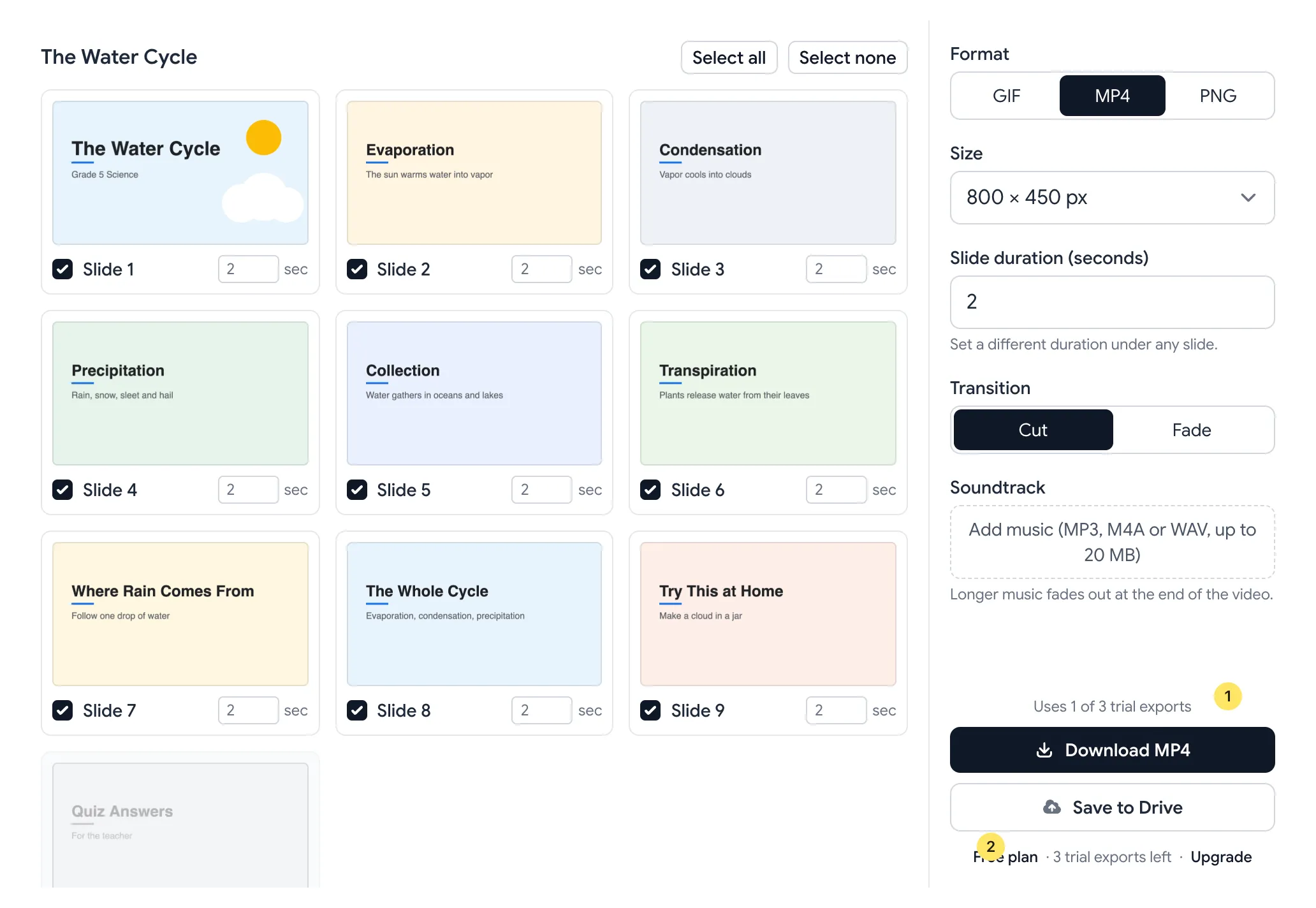
The trial exports belong to your Google account and count across all your presentations. Cancelled exports don’t count.
When a Feature Isn’t in Your Plan
Section titled “When a Feature Isn’t in Your Plan”After your trial exports are used, options your plan doesn’t include show a lock. In the Size list, sizes from a higher plan show its name, such as 1600 × 900 px · Pro.
-
Click a locked option. A line below it says which plan includes it, such as Available with Starter. Upgrade.
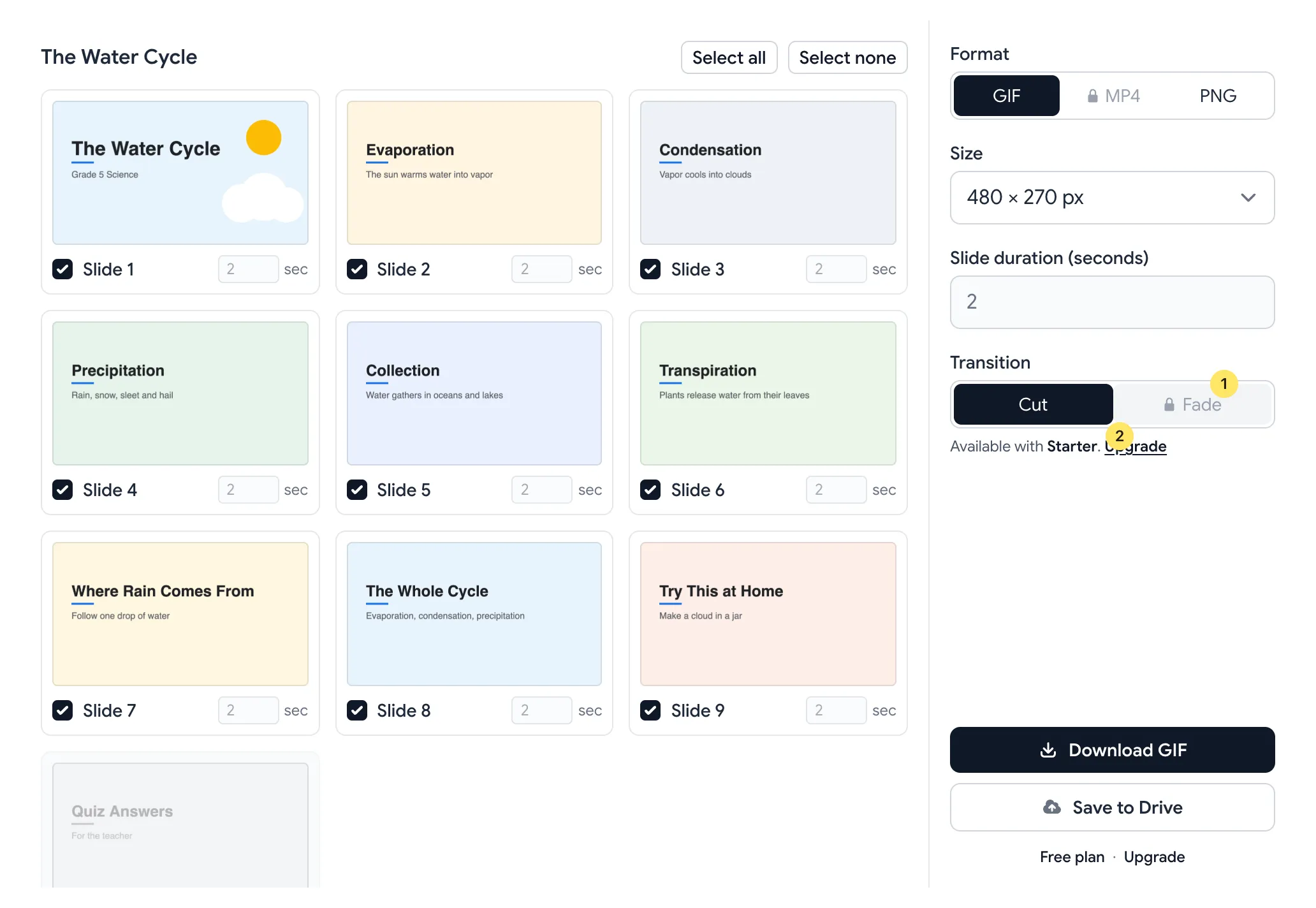
Click a locked option to see which plan includes it. -
Click Upgrade to see the plans and buy a license. The Creator Studio window closes while the license window is open. Your settings are saved with the presentation.
-
After you buy, activate your license.
You can also upgrade at any time from the Upgrade link below the Download button, or from Extensions > Creator Studio > Buy Premium License.