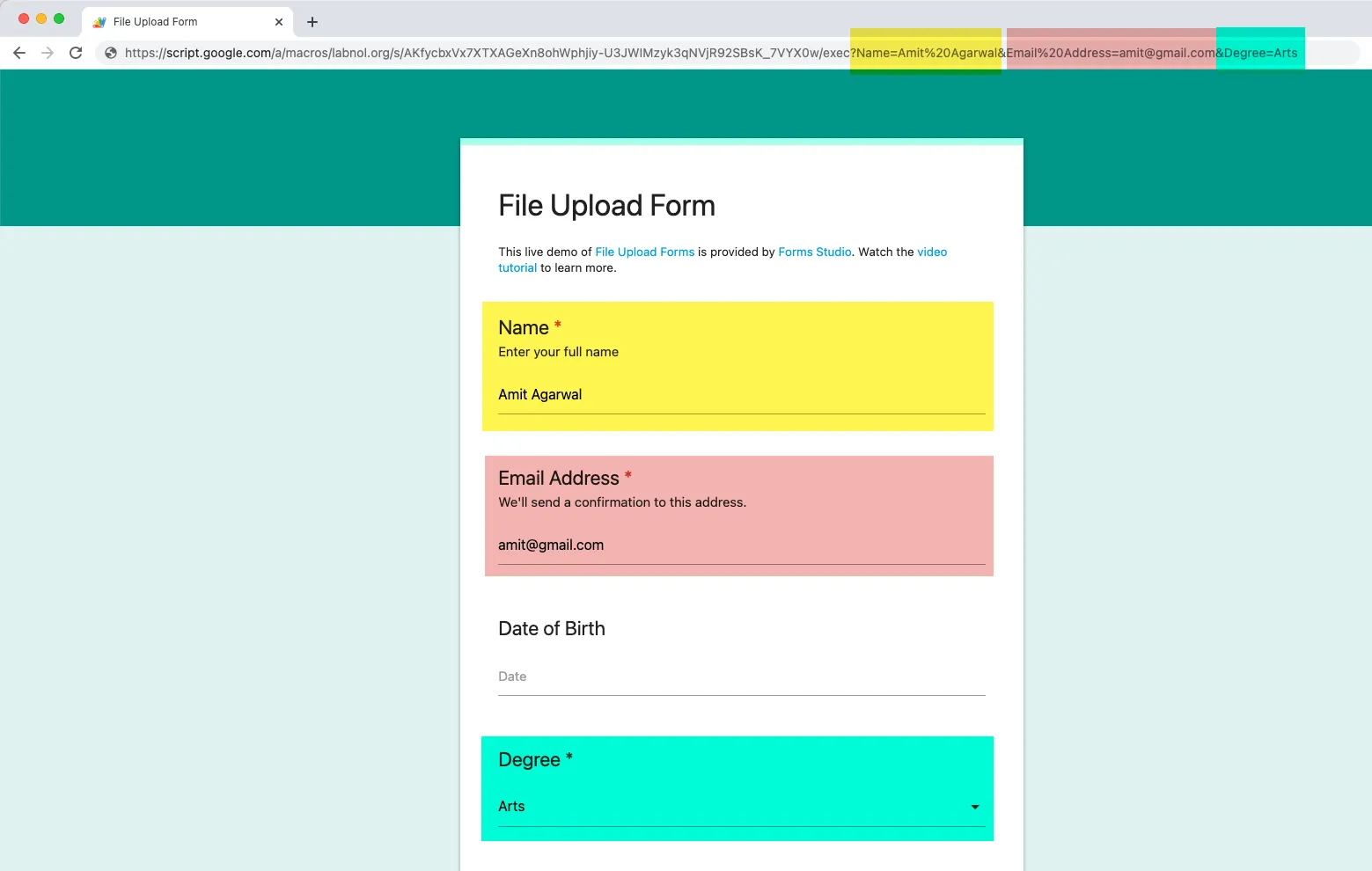
How to Pre-fill Form through URL Parameters
You can pre-fill a form through URL parameters so when users arrive at the form, some of the form fields will be automatically pre-populated for them.
For instance, if you are sending a form link to your users via Email Merge, you can pre-fill the email address field in the form since that piece of information is already known to you.
Build Your Pre-fill URL
Section titled “Build Your Pre-fill URL”Let’s assume that your Form has two fields - Name and Email Address - that you would like to pre-fill through URL parameters.
The standard form URL looks something like this:
https://script.google.com/xyz/execTo add a form field to the URL, we add a question mark ? after the form URL, then add the form field name, followed by an equal size = and the pre-filled value.
Our new URL would thus read:
https://script.google.com/xyz/exec?Name=John%20PublicPre-fill More than One Field
Section titled “Pre-fill More than One Field”To add another form field to the pre-populated form URL, add an ampersand & to the URL, followed by the field name, an equal to sign and the field value.
If you we were to pre-populate the Email Address field, the new URL would be:
https://script.google.com/xyz/exec?Name=John%20Public&Email%20Address=abc@gmail.comPre-filled Form Demo
Section titled “Pre-filled Form Demo”You can click here to test a pre-filled form URL.