
How to Create a Form Auto-Responder
When someone uploads a file and submits the form, you can send an automatic email response to the person who fills your form.
As a pre-requisite, you need to include a field in your form design that asks for the form respondents email address. Let’s assume that this field is titled Your Email Address in your form.
Open the sidebar inside Google Sheet and expand the Email Notifications section. Check the setting that says - “Yes, send email notification”. This opens the email template designer in a new window.
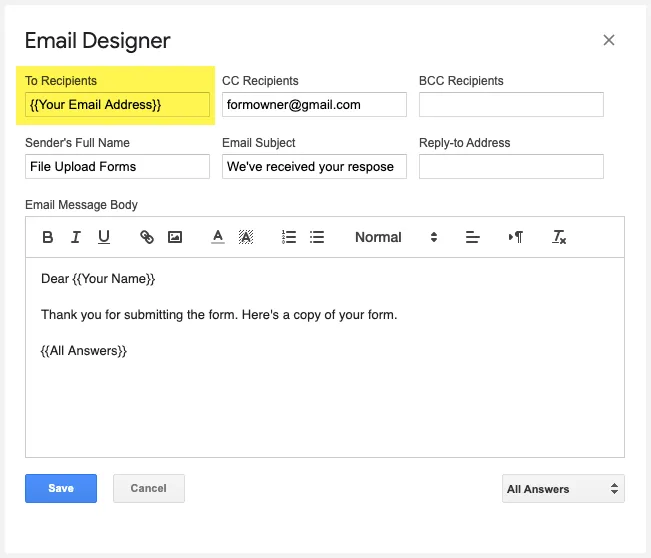
Edit the To field of your form and specify the question title that asks for the respondents email address, enclosed in double curly braces. You can also add more recipients in the same To field or the CC and BCC fields.