
What are File Upload Forms for Google Drive
With File Upload Forms for Google Sheets, you can easily build web forms and receive files of any size from anyone directly in your Google Drive. The forms are hosted on Google servers and all you need is a Google account to build your own forms.
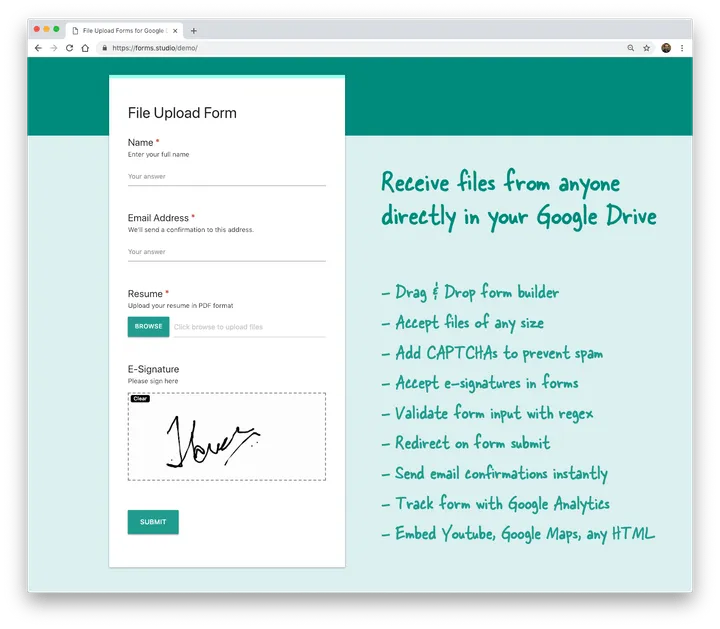
Top Features of Upload Forms
Section titled “Top Features of Upload Forms”- Drag and drop form builder
- Receive files directly in your Google Drive
- Send email confirmation to the form responder
- Accept e-signatures
- Password protect your form
- Add CAPTCHA to prevent bot submissions
- Integrate with Google Analytics and Facebook Pixel
- Hosted on Google Cloud
- Form Responses stored in Google Sheets
- Embed custom CSS and JavaScript
Compare with Google Forms
Section titled “Compare with Google Forms”Google Forms is an excellent service for building online forms and quizzes but there are few unique features that make File Upload Forms better than Google Forms.
No Google Account Required
Section titled “No Google Account Required”With Google Forms, the respondent requires a Google account to upload files in the form. File Upload Forms do not require respondents to sign in with their Google Account for uploading files, they can even upload files in incognito mode while staying anonymous.
Electronic Signatures
Section titled “Electronic Signatures”You can accept e-signatures in File Upload Forms and the signature canvas works on both desktop and mobile phones.
Form Emails
Section titled “Form Emails”While Google Forms require the Email Notifications add-on for sending form emails, this feature is directly integrated into File Upload Forms.
Custom JS and CSS
Section titled “Custom JS and CSS”Advanced users can embed custom JavaScript and CSS styling in File Upload Forms and customize the form to their heart’s content.