
Find Emails in Gmail with Advanced Search Options
The Email Addresses Extractor add-on supports all the Gmail advanced options that assist you in fine-tuning your email search and refining your results. You can click the plus icon in the advanced search box to view a sample of search options that you can use for improved search results.
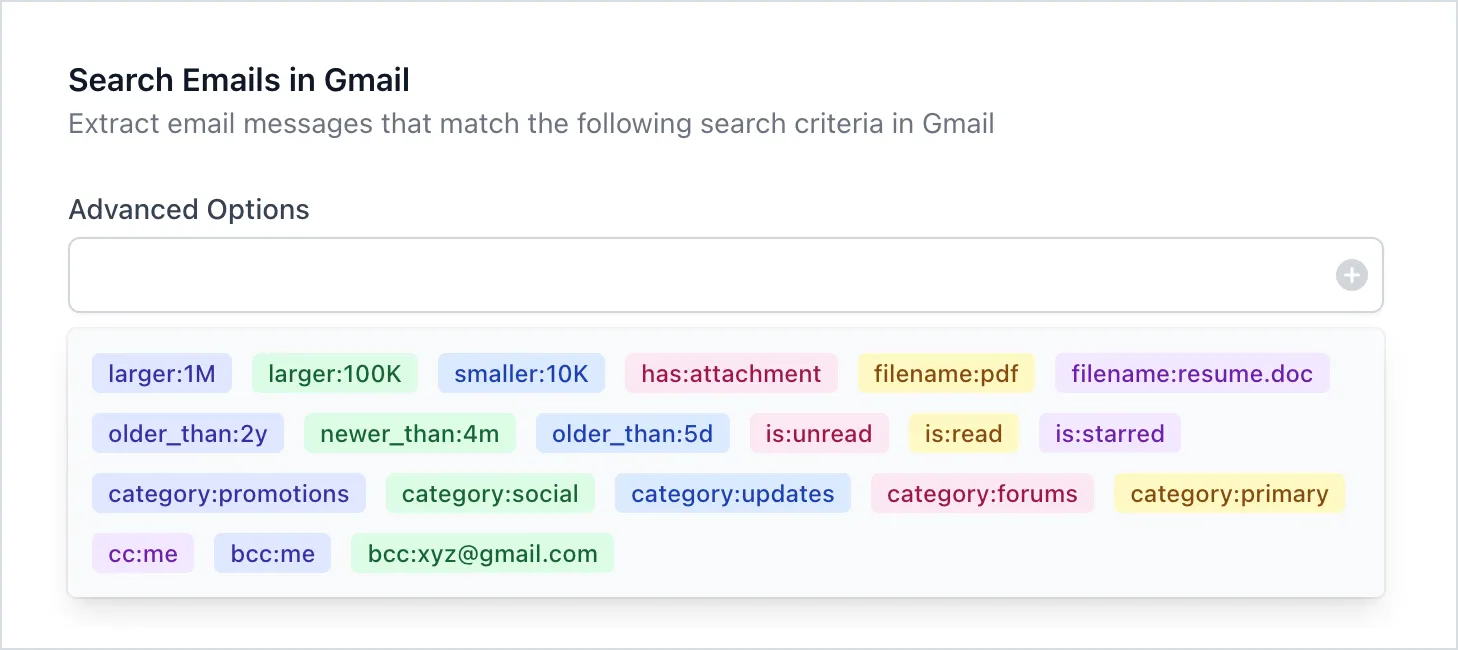
The advanced search query syntax is operator:search_keyword. For instance, you could say from:paypal.com to find all emails where the sender is PayPal. Use the logical boolean search operators to specify multiple search operators (e.g., from:paypal OR subject:invoice).
| Search Criteria | Gmail Search Query |
|---|---|
| Emails that are either starred or unread | is:starred OR is:unread |
| Emails with specific recipients in the To or Cc fields | to:amit OR cc:angus |
| Emails received during a specific time period | after:2024/03/01 before:2024/07/15 |
| Search for messages older or newer than a time period | older_than:7d (for 7 days) newer_than:3m (for 3 months) older_than: 2y (for 2 years) |
| Search Gmail by size | larger:10M (for emails larger than 10 MB) smaller:1M (for emails small than 1 MB) size:1000 (specify the size in bytes) |
| Email messages that are in a particular email folder (or label). | in:label_name label:label_name (for example, label:personal-emails) |
| Find emails anywhere in Gmail (including Spam and Trash) | in:anywhere |
| Find emails that have no labels applied | has:nouserlabels has:userlabels |
| Find emails that have particular words in the subject line | subject:invoice subject:(invoice OR receipt) subject:“payment received” |
| Find messages that contain particular words | dinner OR movie (either words) dinner AND movie (contain both words) (dinner movie) (contain both words) “dinner movie” (exact phrase) |
| Find emails that have an attachments | has:attachments filename:pdf (search by type) filename:emails.csv (search by file name) |
| Search for messages delivered to a particular email address | deliveredto:amit@labnol.org |
| Emails where my email is either in CC or BCC | cc:me OR bcc:me |
| Emails that do not contain a specific word | -cats |
| Find emails messages in trash or spam | label:spam OR label:trash |
| Find emails that contain links to Google Drive or Google Slides or YouTube | has:youtube OR has:drive OR has:presentation |
Gmail Search - Things to Know
Section titled “Gmail Search - Things to Know”- Search for an exact phrase by enclosing the phrase inside double quotes. Capitalization is ignored.
- You can use logical operators like AND, NOT or OR to refine your search and they must always be typed in uppercase letters.
- Search for email messages by date using the before: and after: search operators. The date format is
yyyy/mm/dd(e.g., 2024/07/15) - You cannot use the bcc: operator to find emails in which you were blind carbon copied.
- If the label name in Gmail includes a space (e.g., Office Expenses), use a dash in the query when searching for emails inside that label (e.g. label:office-expenses)